
Overview
HobbyLoop is a mobile app designed to foster community for your favorite hobbies and provides resources to transition into new hobbies. It notifies you of events happening in your area and shows you what activities your friends are interested in.
Problem
It's difficult to stay up-to-date with activities people host for various hobbies. Many of them require you to follow multiple accounts on Instagram or know people within the industry to stay in the loop. For examples, K-Pop dance classes are not well-advertised and rely on people knowing dancers in the industry to know what’s happening.
Ideation
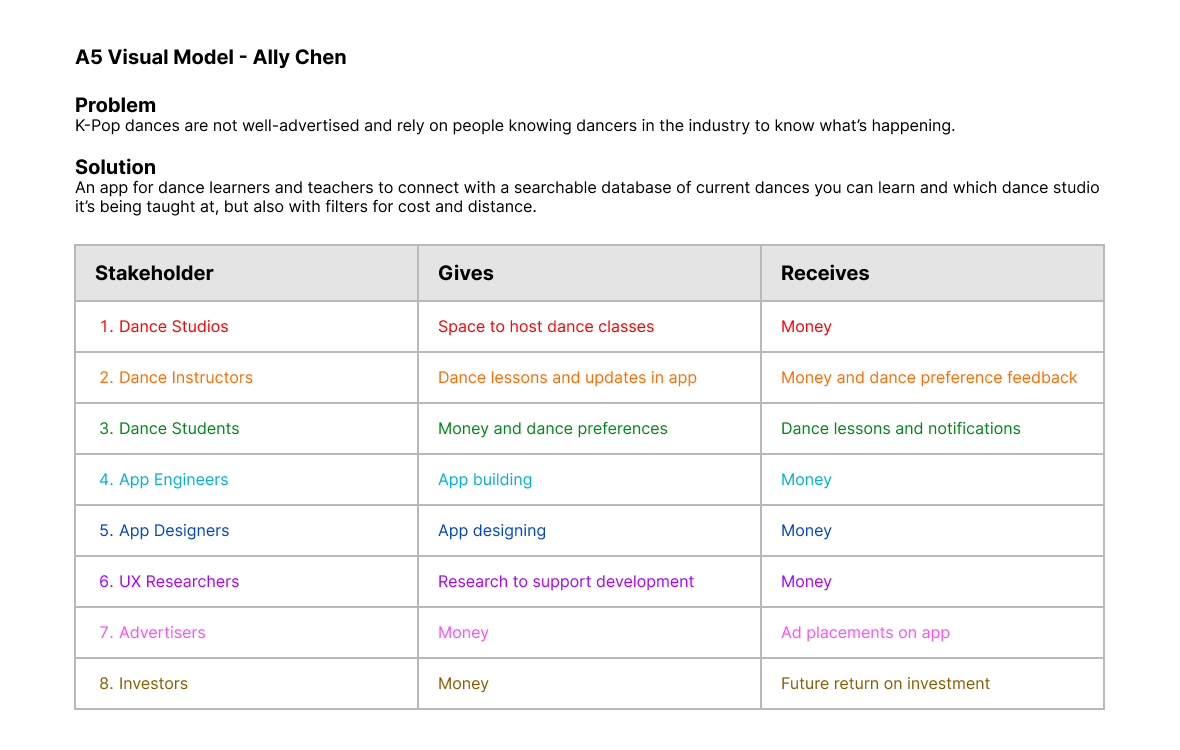
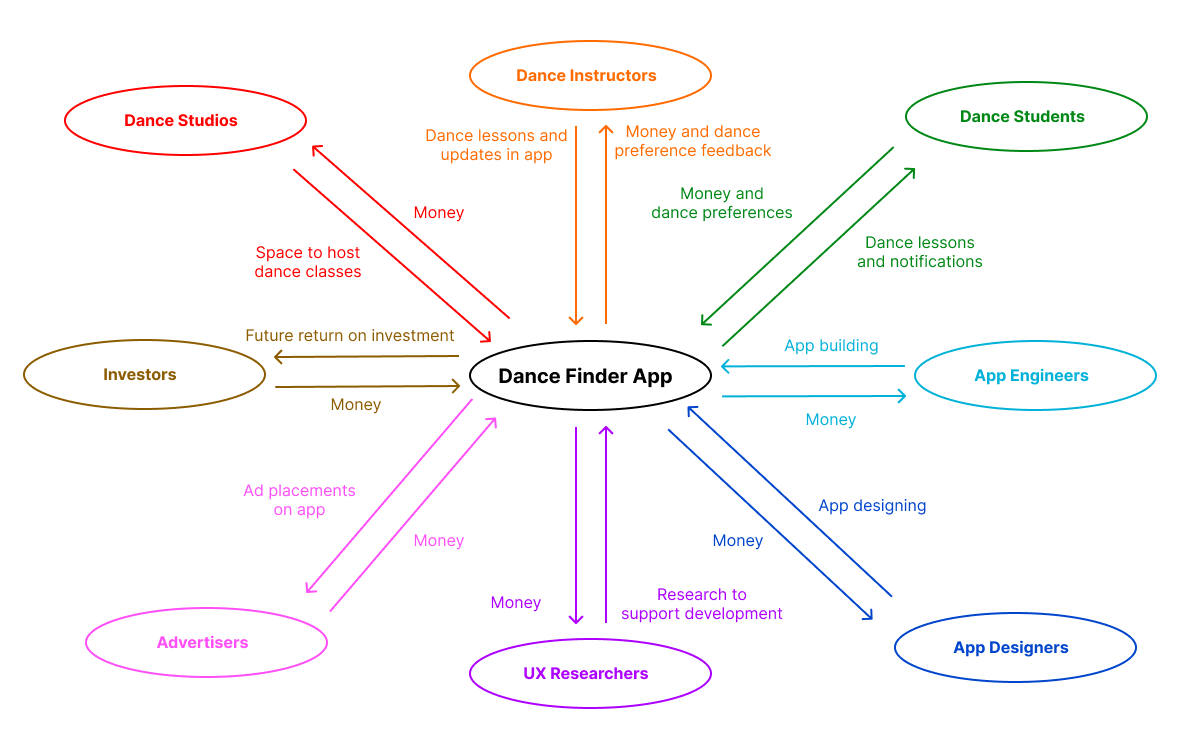
When developing the concept for this app, I started with a specific target audience of people who want to learn K-Pop dances. I started by creating a visual model of the potential stakeholders.
Formation
In order to be more inclusive of my class, I decided to broaden my target audience to anyone who wants to get the inside scoop about activities for any hobby.
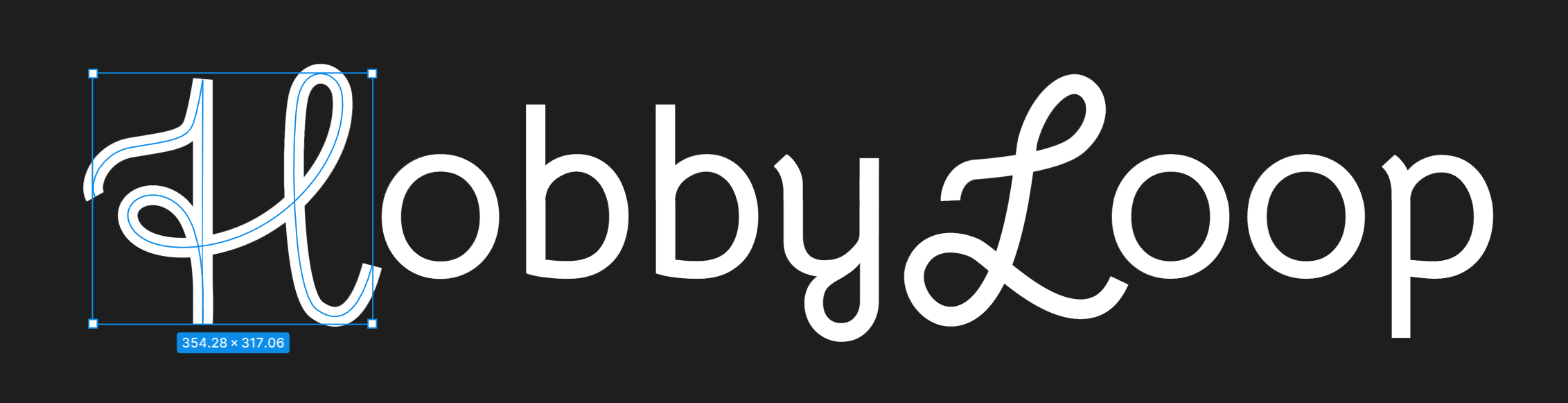
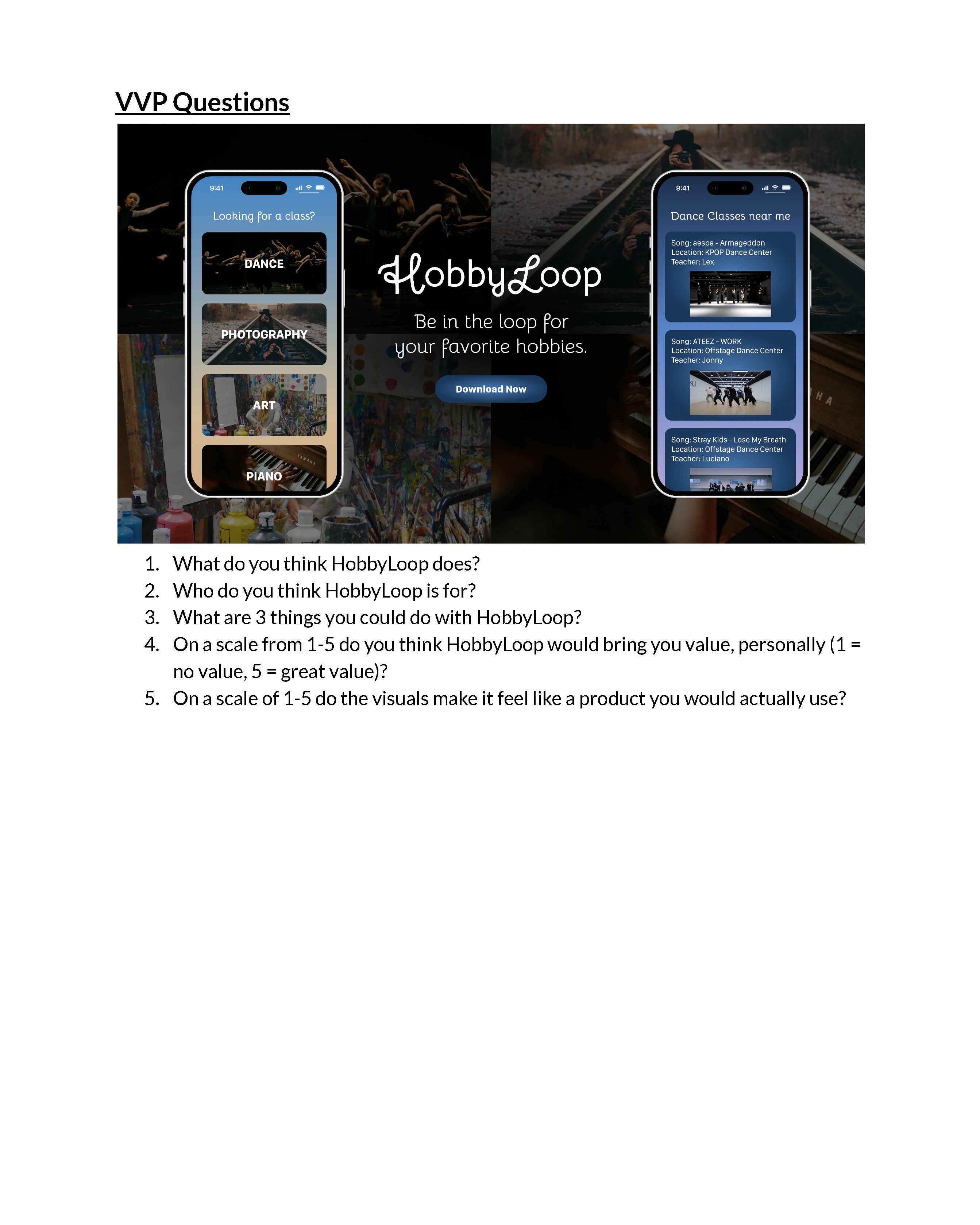
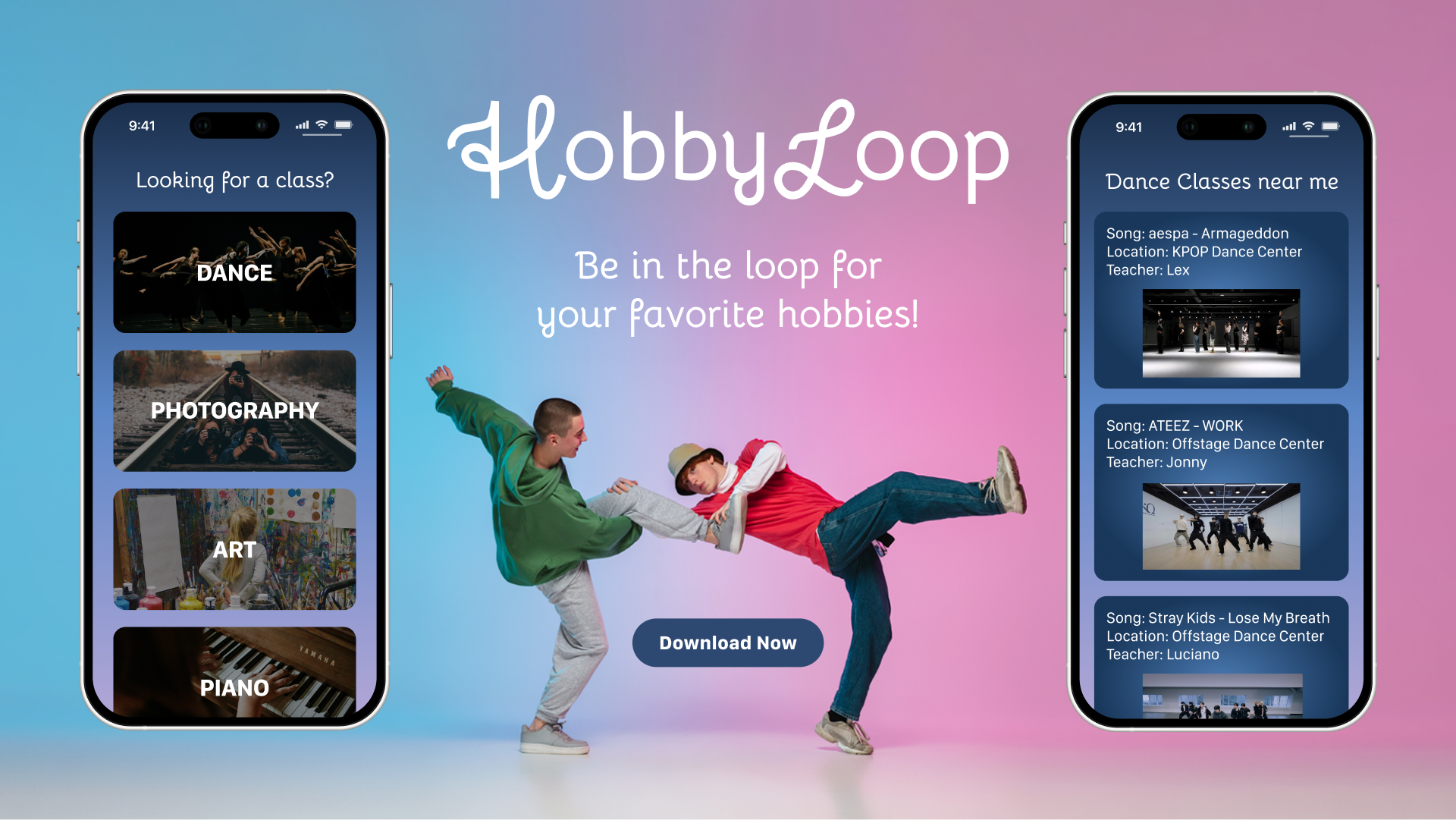
I chose the name and tagline "HobbyLoop: Be in the loop for your favorite hobbies." I chose to use the Bellota font for the curviness to represent being "in the loop", but I decided to replace the H and L with cursive I created using the pen tool so that it flows nicely.

Pitch
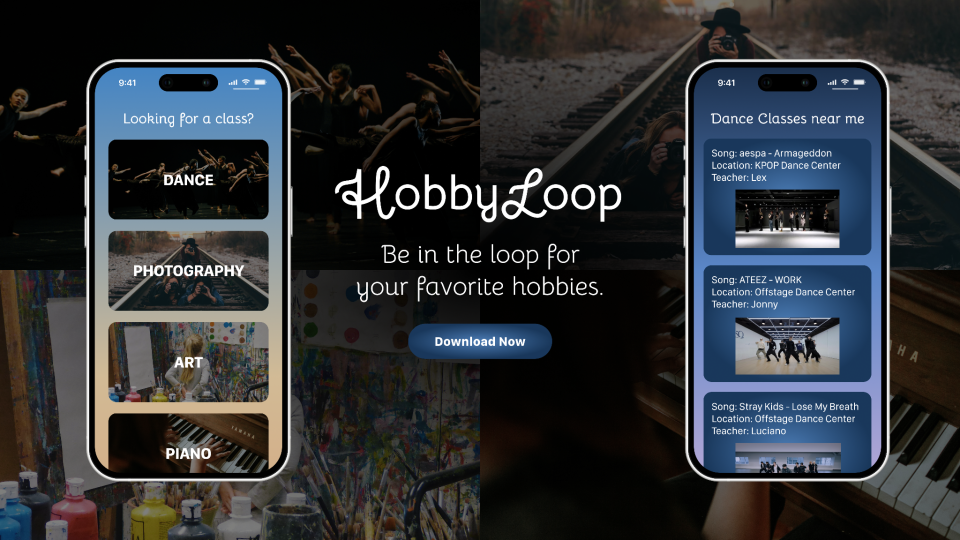
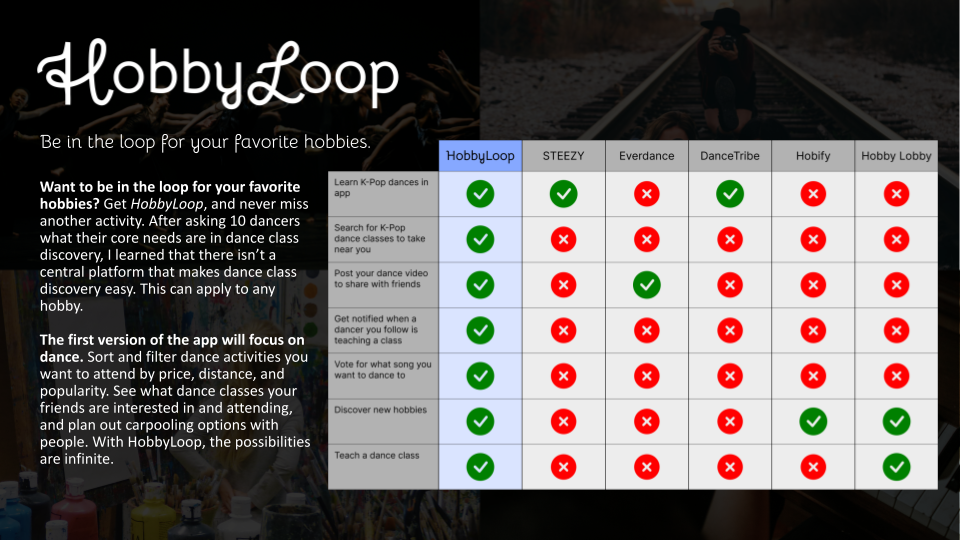
The next step was to pitch the idea to the class in hopes of being in the top 5 out of 20 pitches to be selected. My pitch deck consists of the Visual Value Proposition for HobbyLoop as well as an Elevator Pitch and Competitive Analysis. Spoiler alert: My project idea was selected! 🤩
Epics, Features, and User Stories
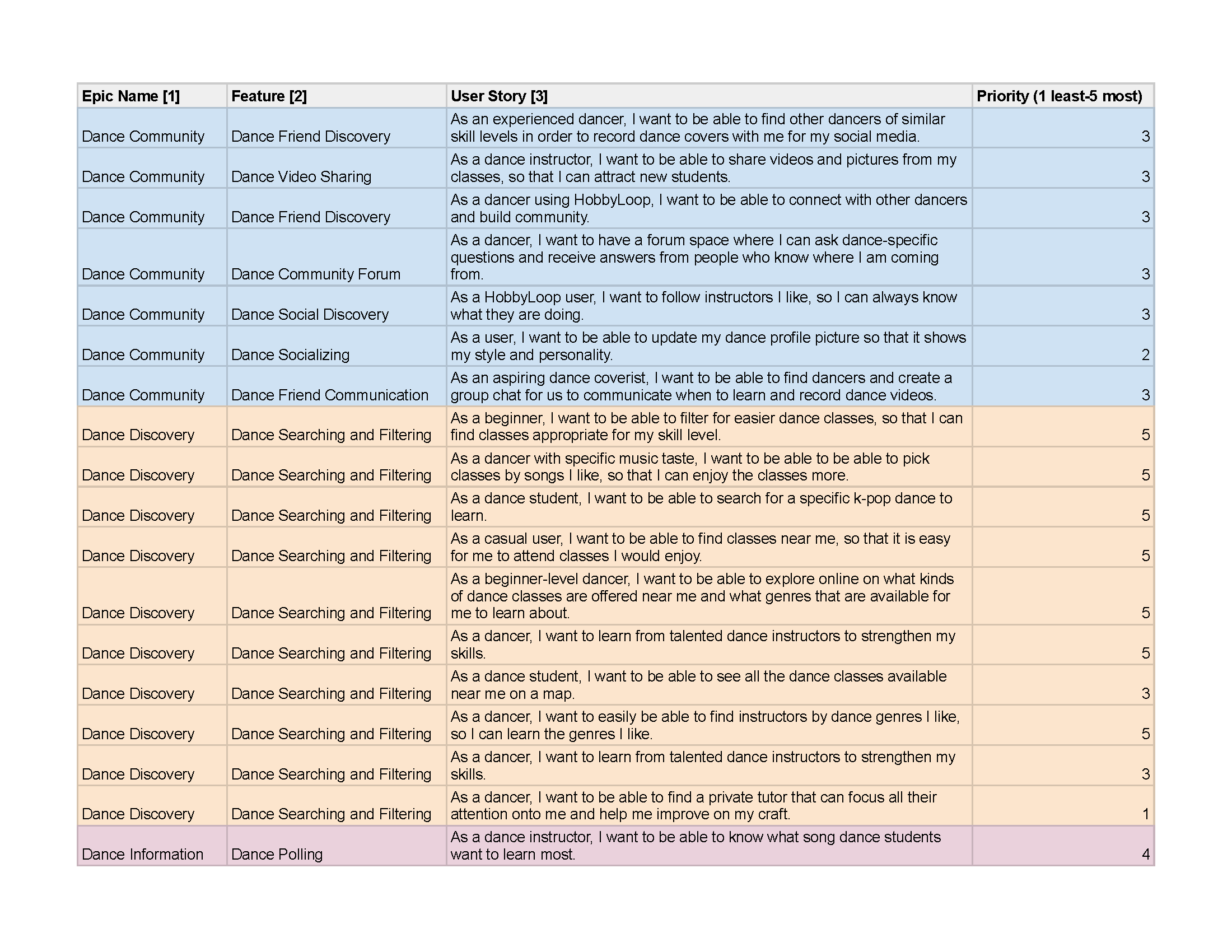
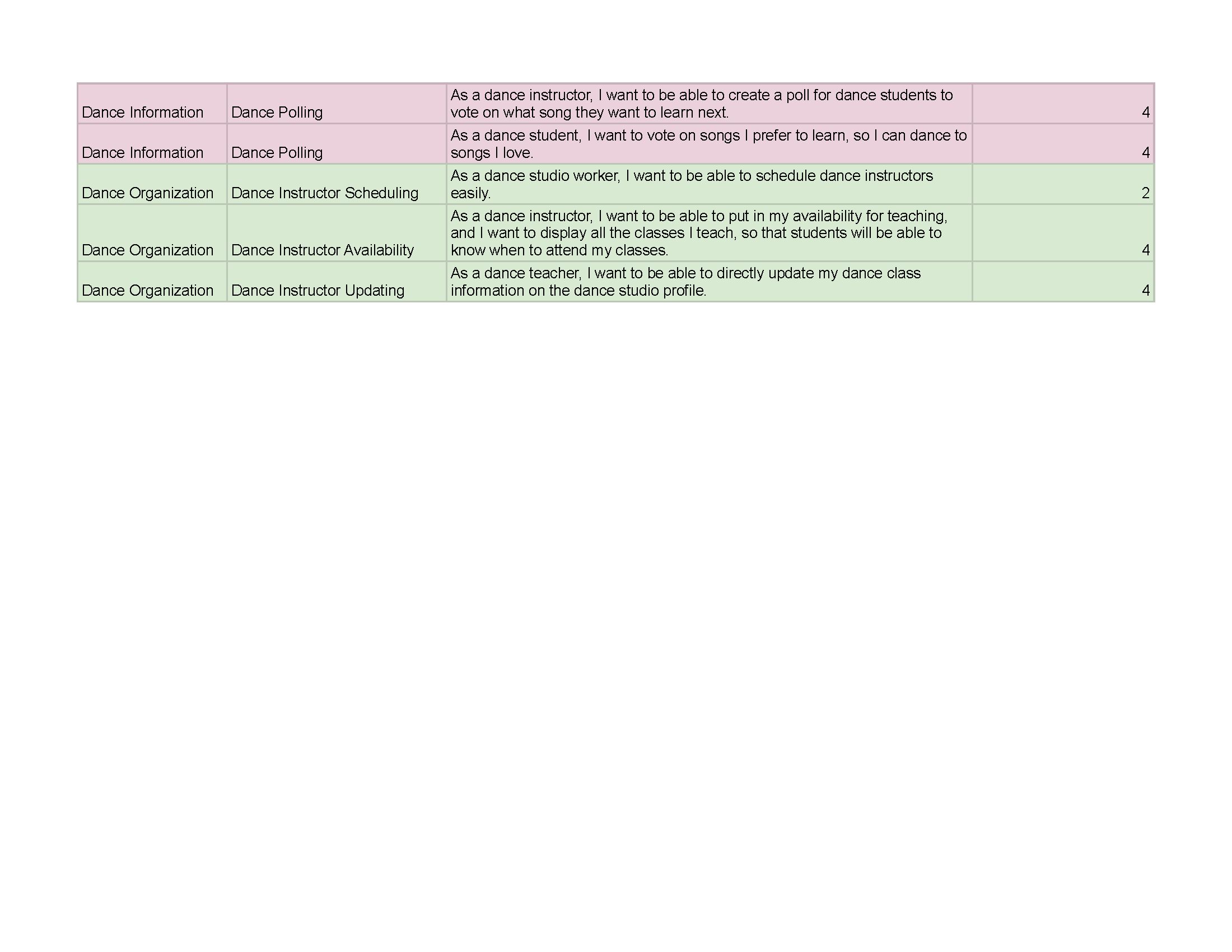
After completing a Team Alignment Canvas assignment and getting to know my team, we jumped straight into listing out potential features and user stories and categorizing them into epics. Then, we ranked them from least to most important in terms of priority.
Personas
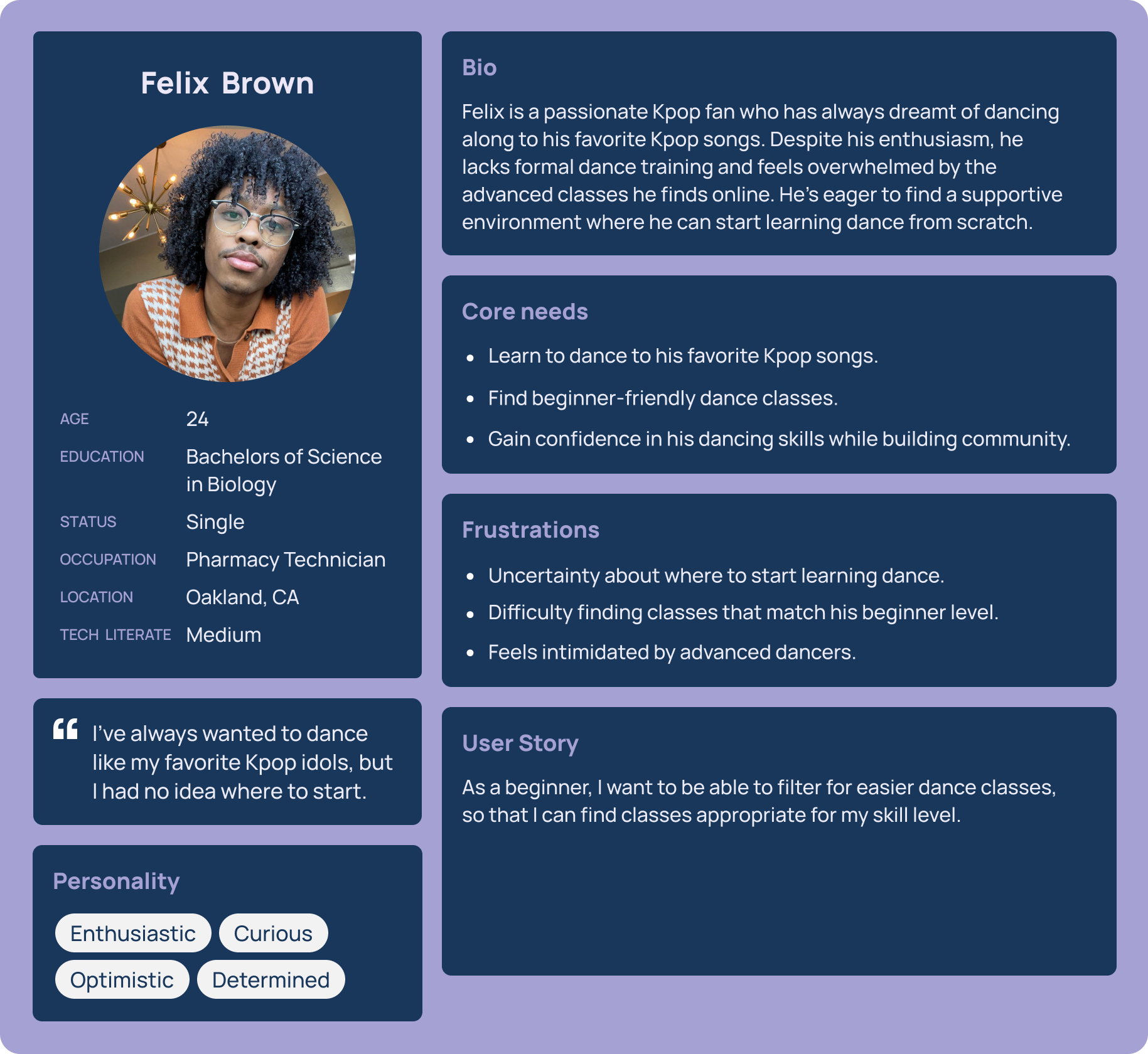
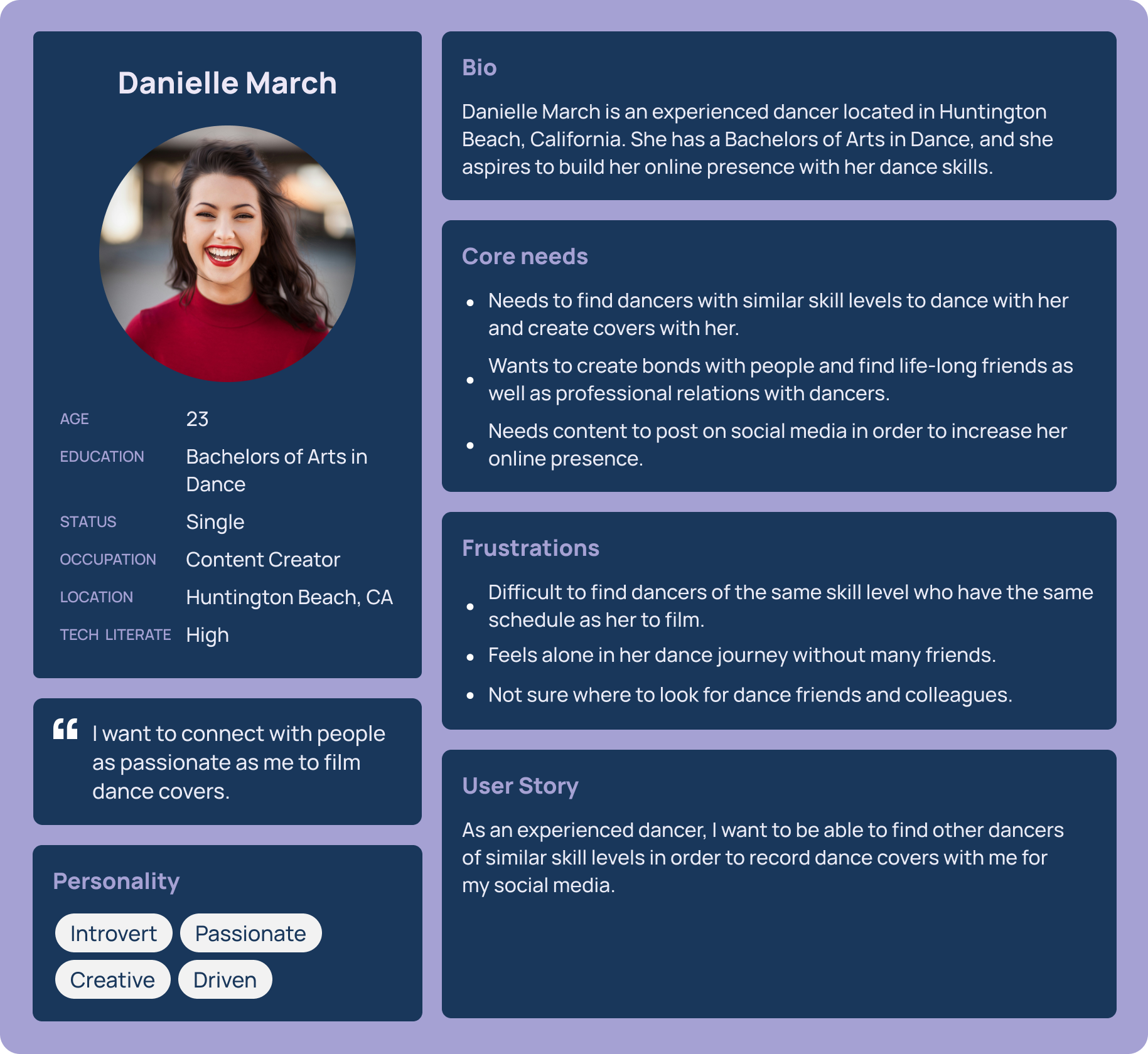
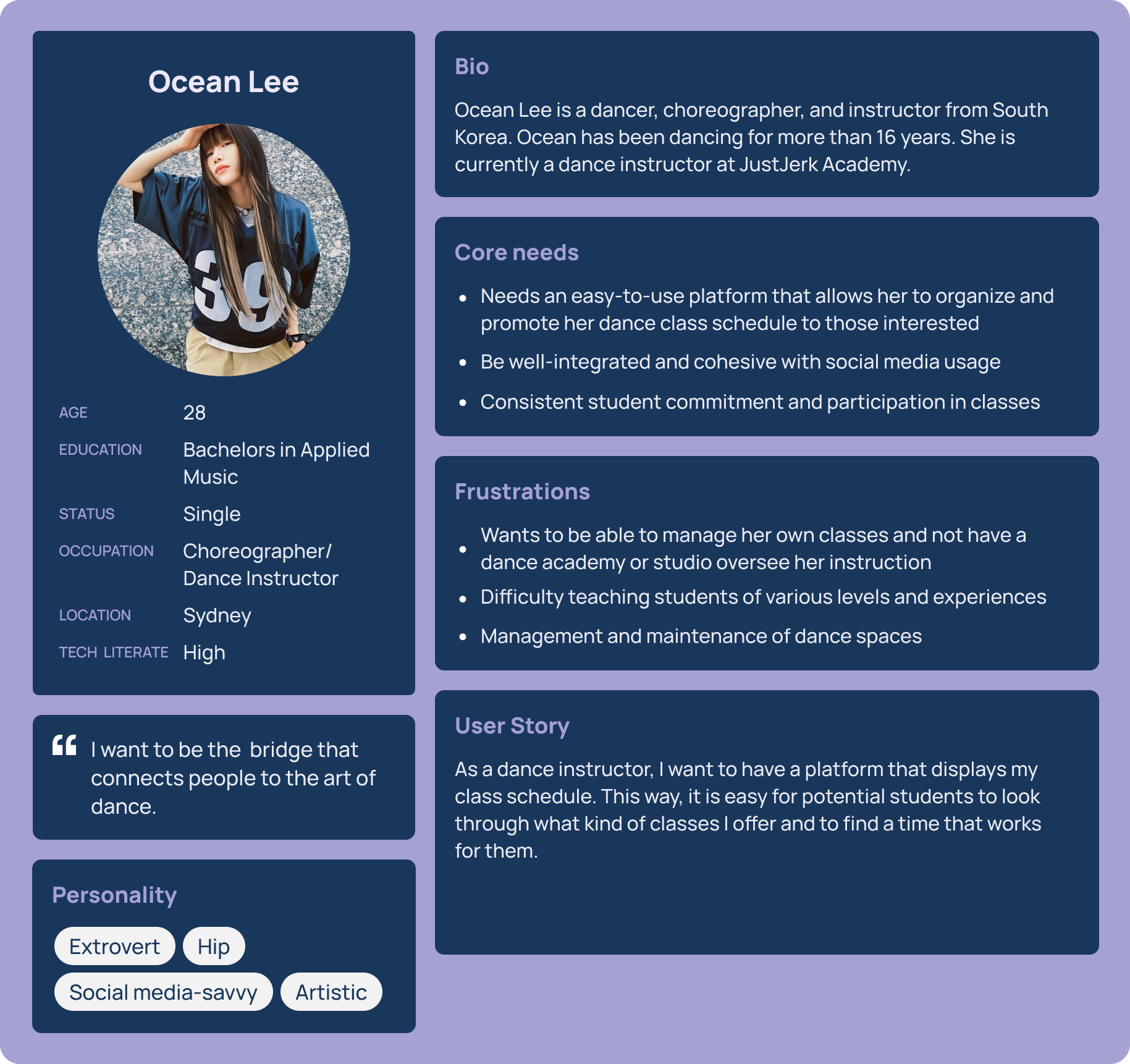
Then, we created personas to empathize with potential end users. We designed three different personas:
- Felix Brown, the beginner dancer
- Danielle March, the experienced dancer
- Ocean Lee, the dance teacher
Scenarios
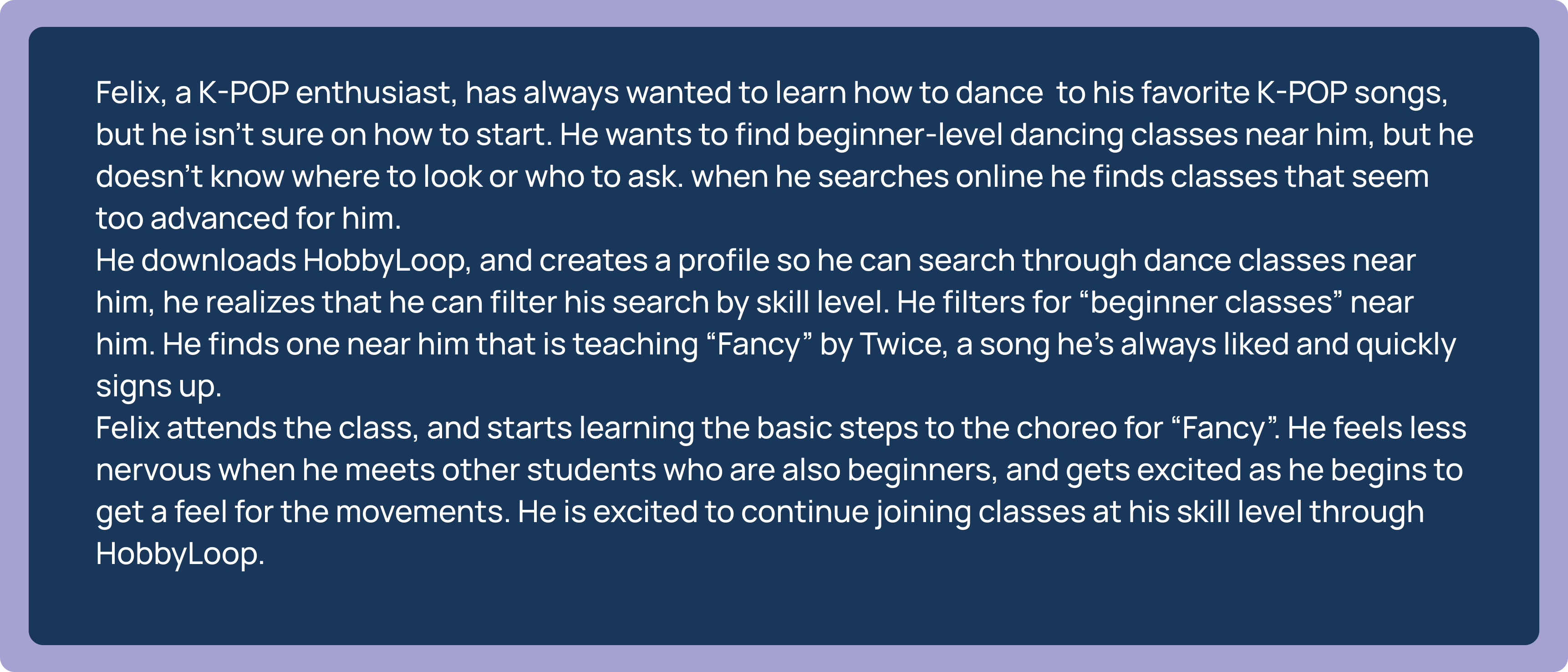
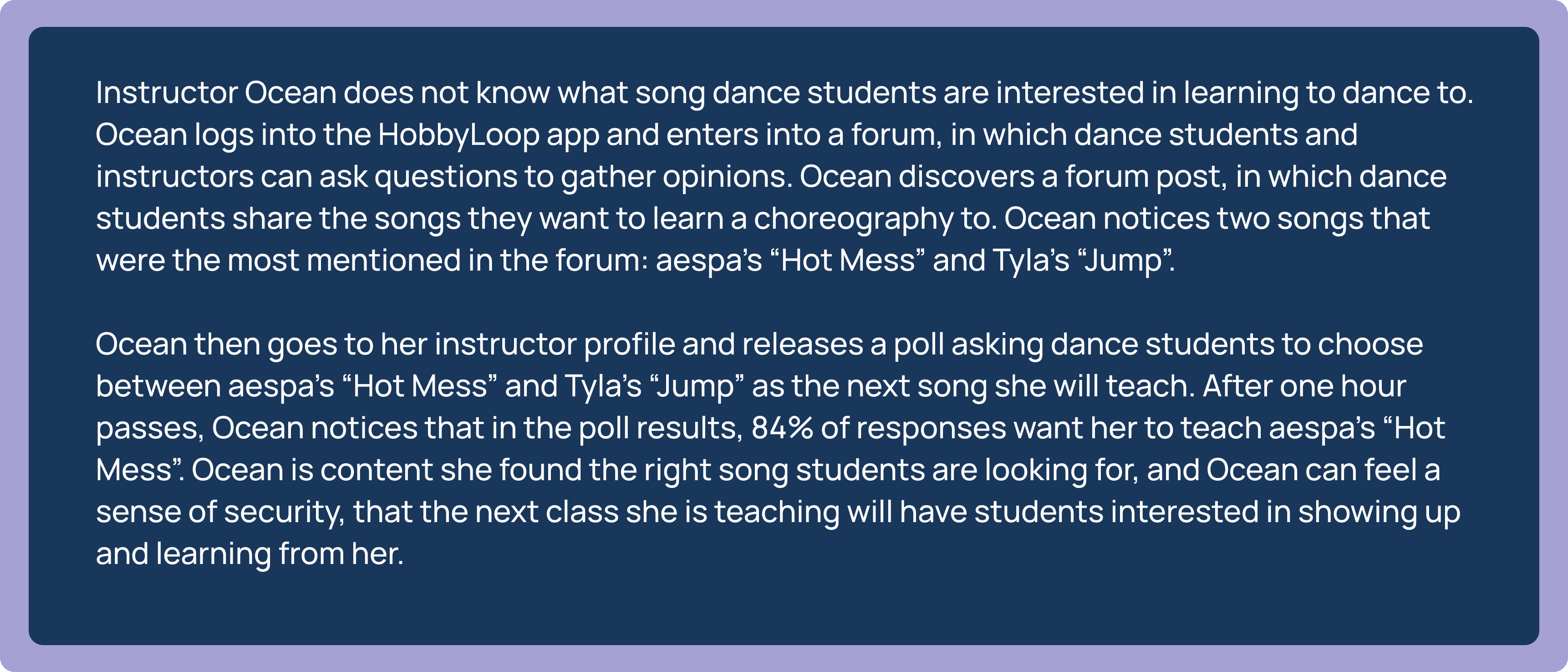
From there, we chose two of them to create scenarios for. We chose Felix and Ocean to include both a student and a teacher.
Storyboard
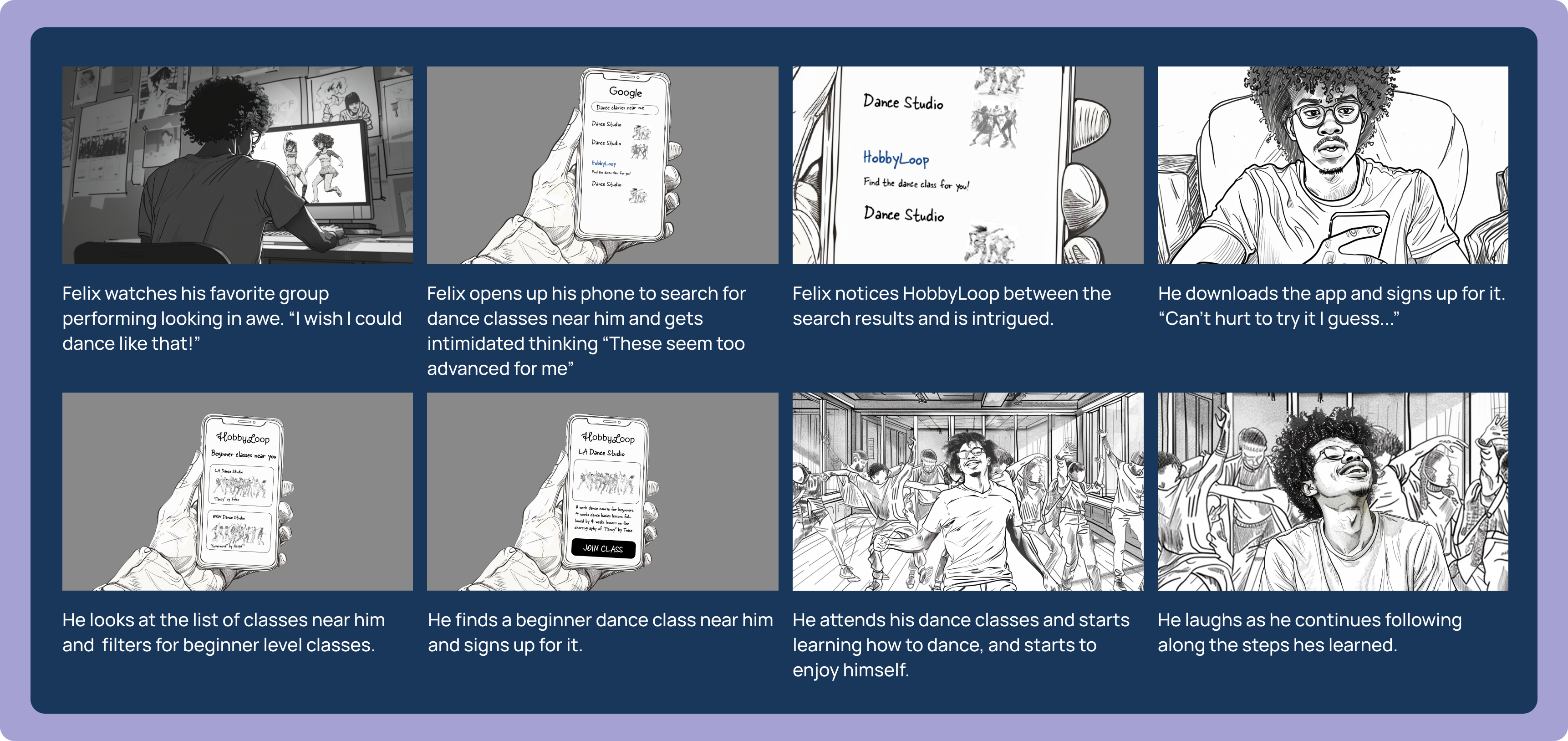
Finally, we created a storyboard for Felix using the user journey of how to use the HobbyLoop app to find a dance class best suited for Felix. The images were created using Midjourney and the Adobe Suite.
Low-Fidelity Wireframes
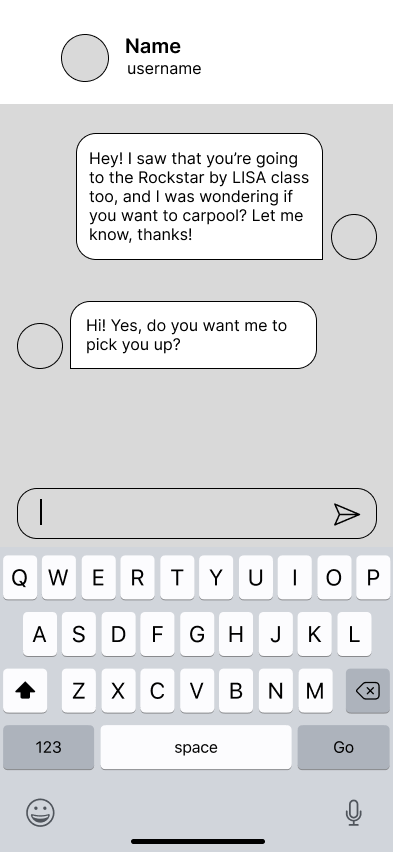
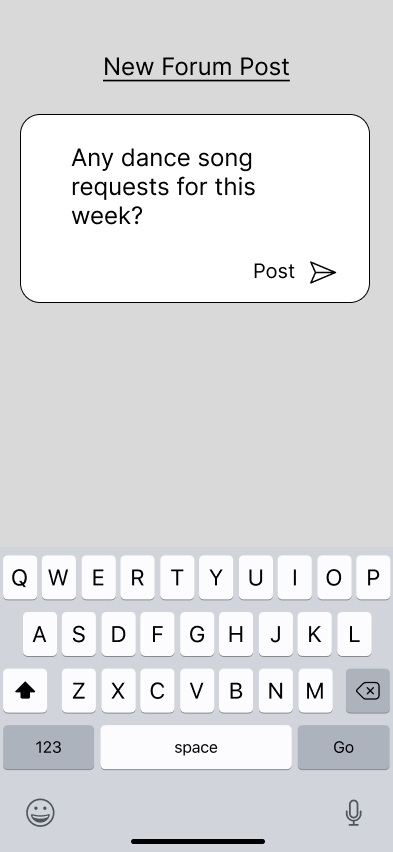
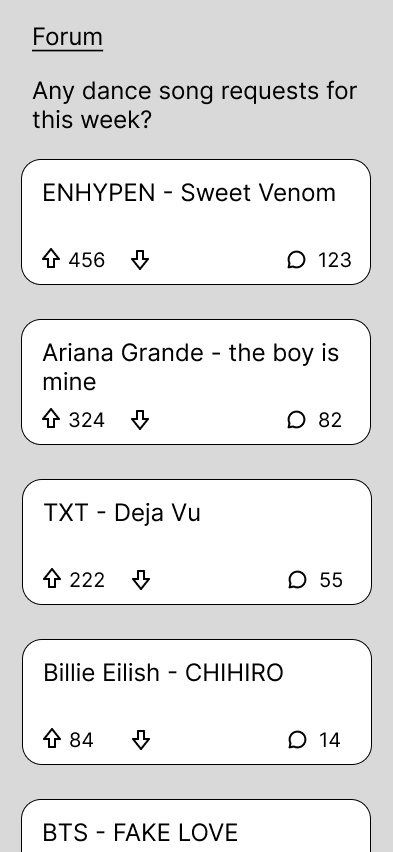
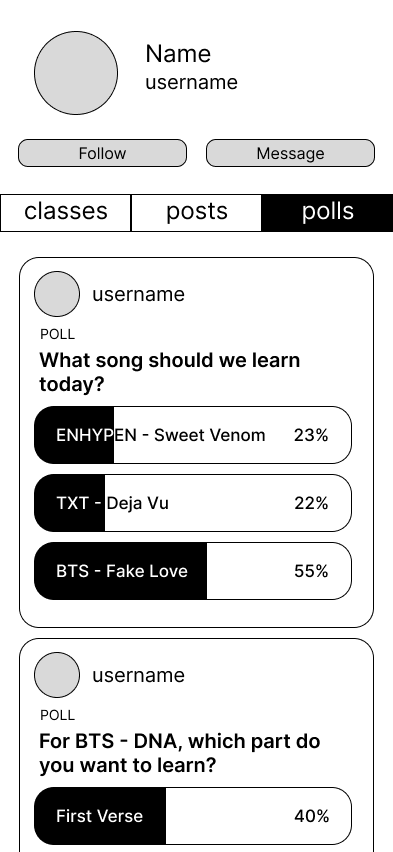
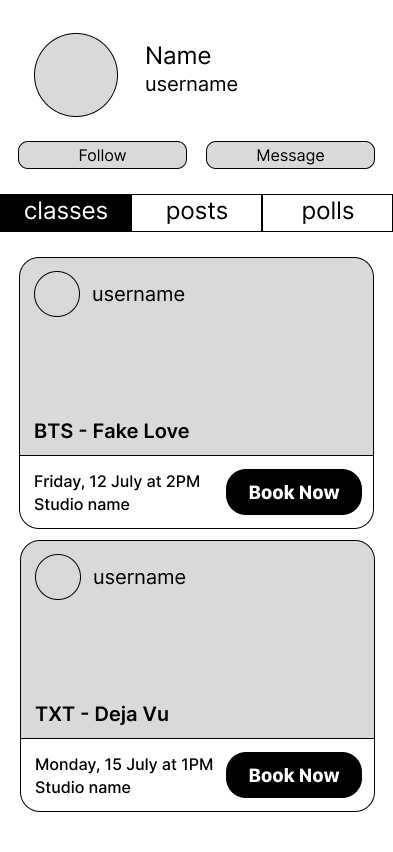
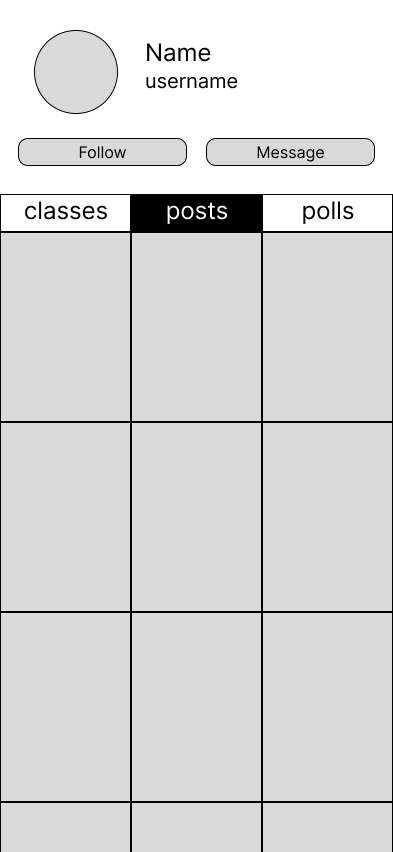
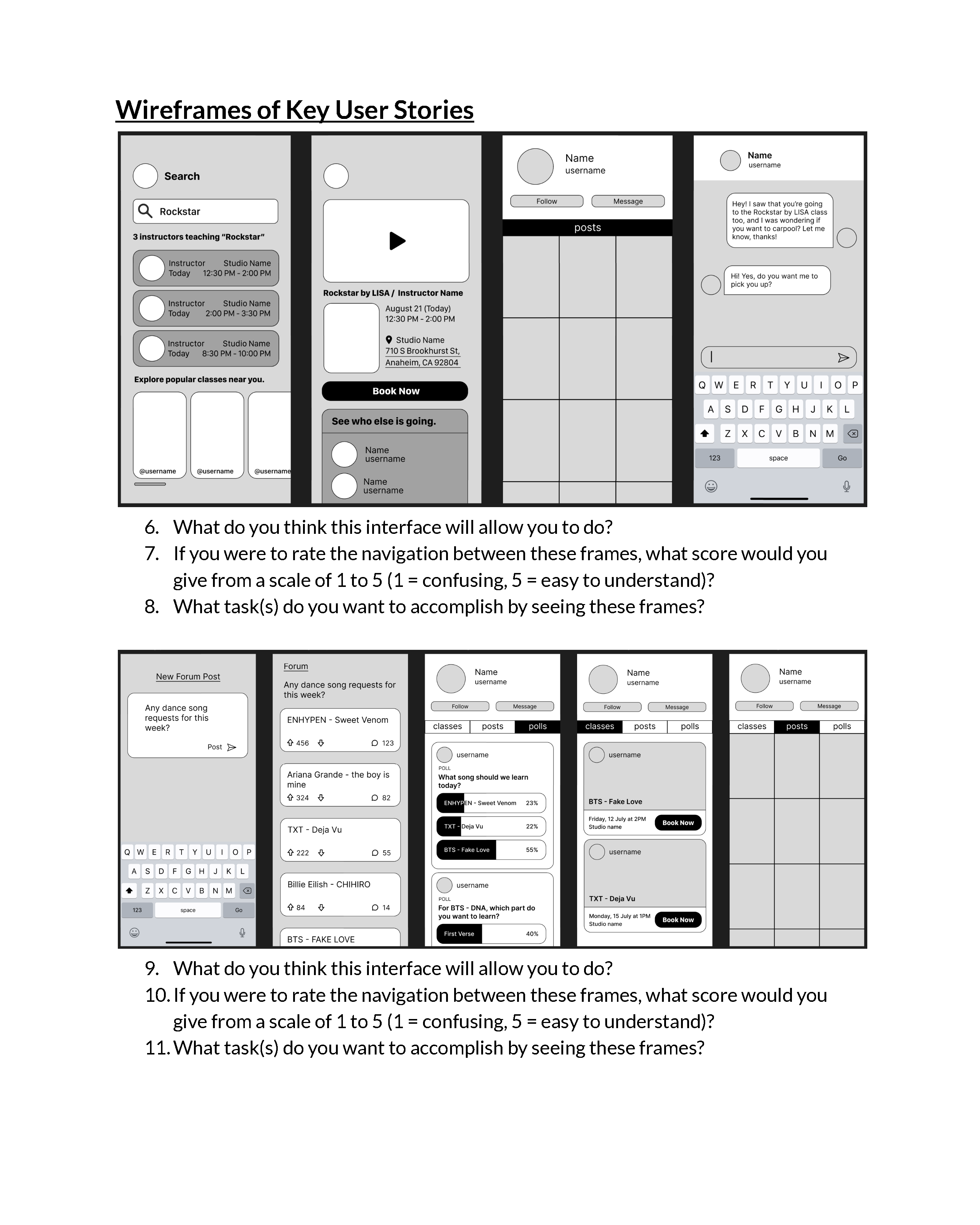
In order to test the user flow, we created low-fidelity wireframes to collect user reactions and responses to better our app for the final prototype.
These images represent the user journey of a beginner dancer.
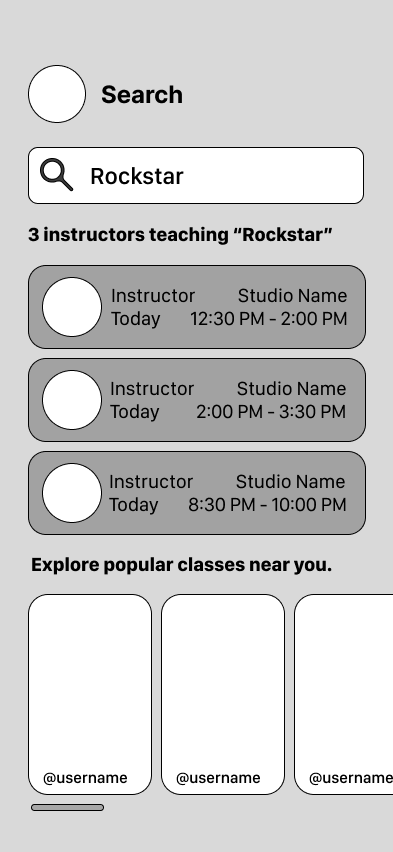
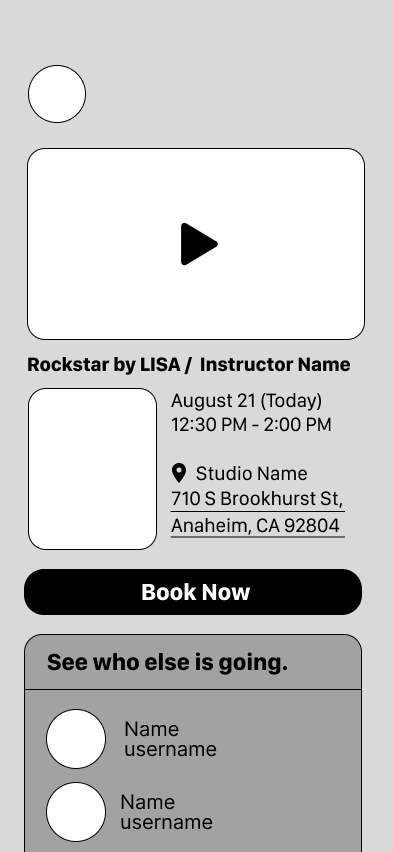
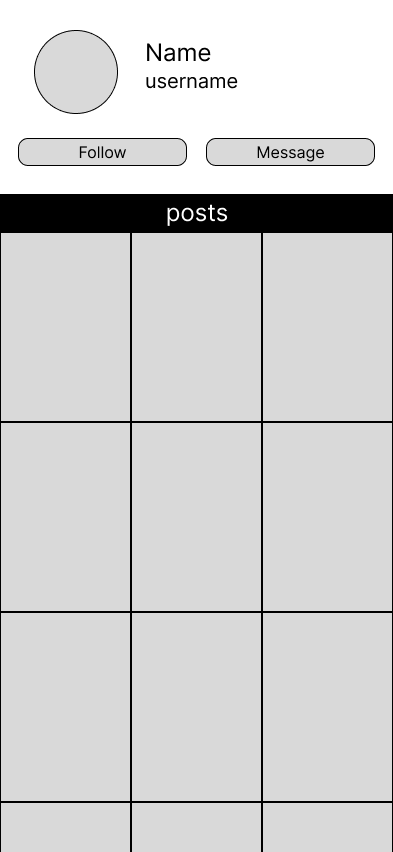
This flow represents the user journey of a dance teacher.
Research
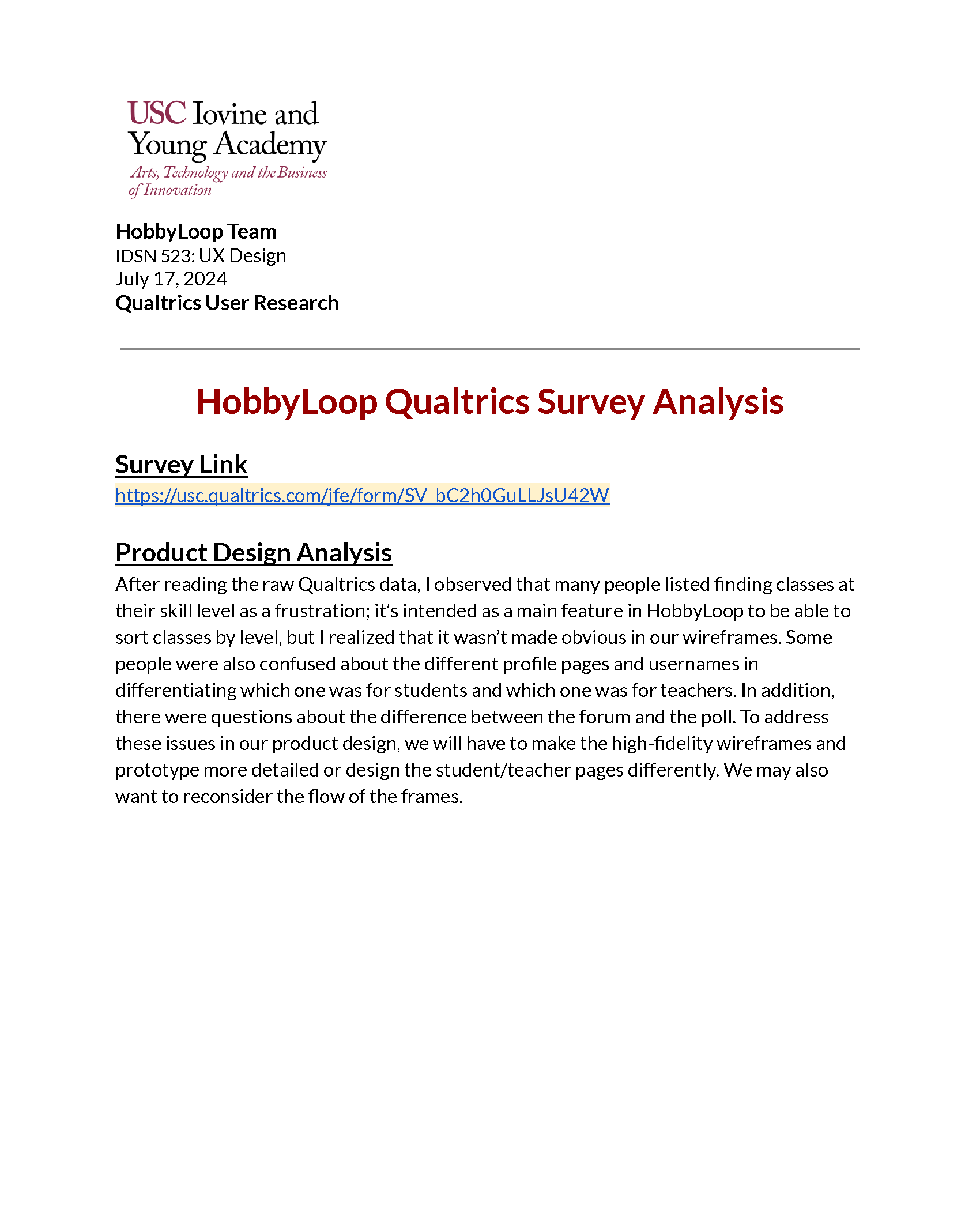
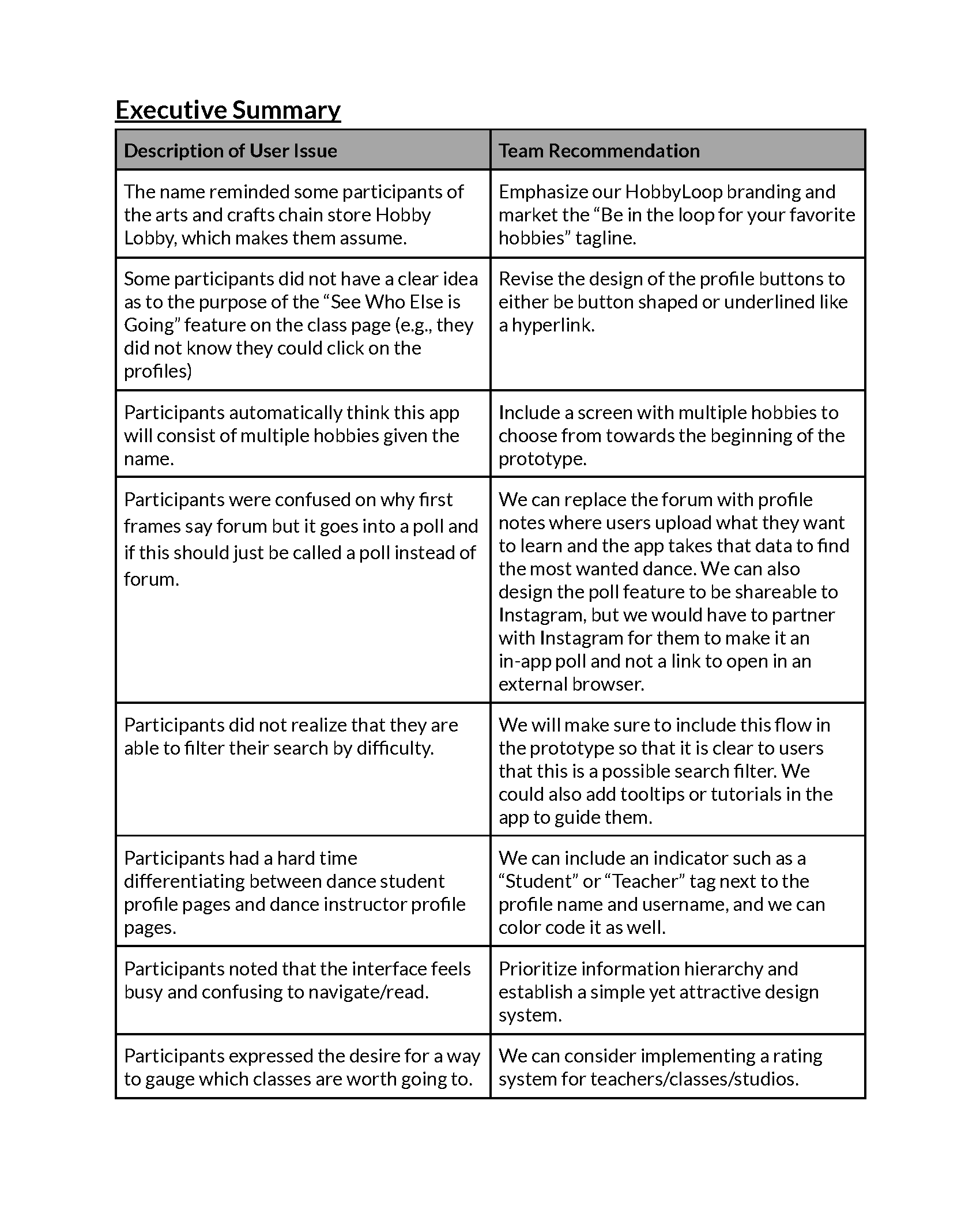
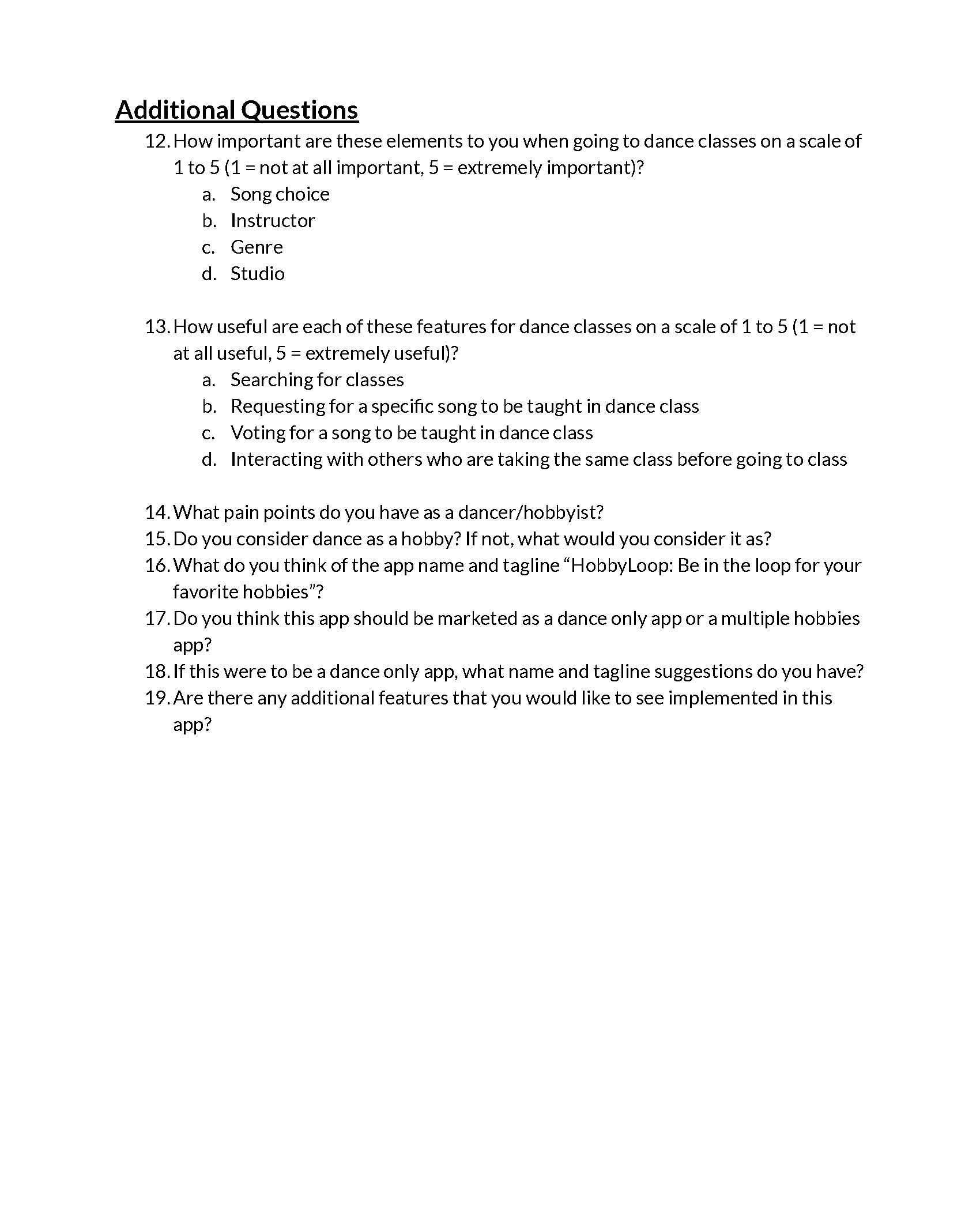
Using Qualtrics, we created a survey asking questions about our visual value proposition, low-fidelity wireframes of key user stories, and additional information. We were able to get 40 survey respondents ranging from people who have multiple hobbies, people who dance for fun, and people who dance for a living. Then, we analyzed our results and created an executive summary where we described recurring user issues and provided team recommendations.
Insights
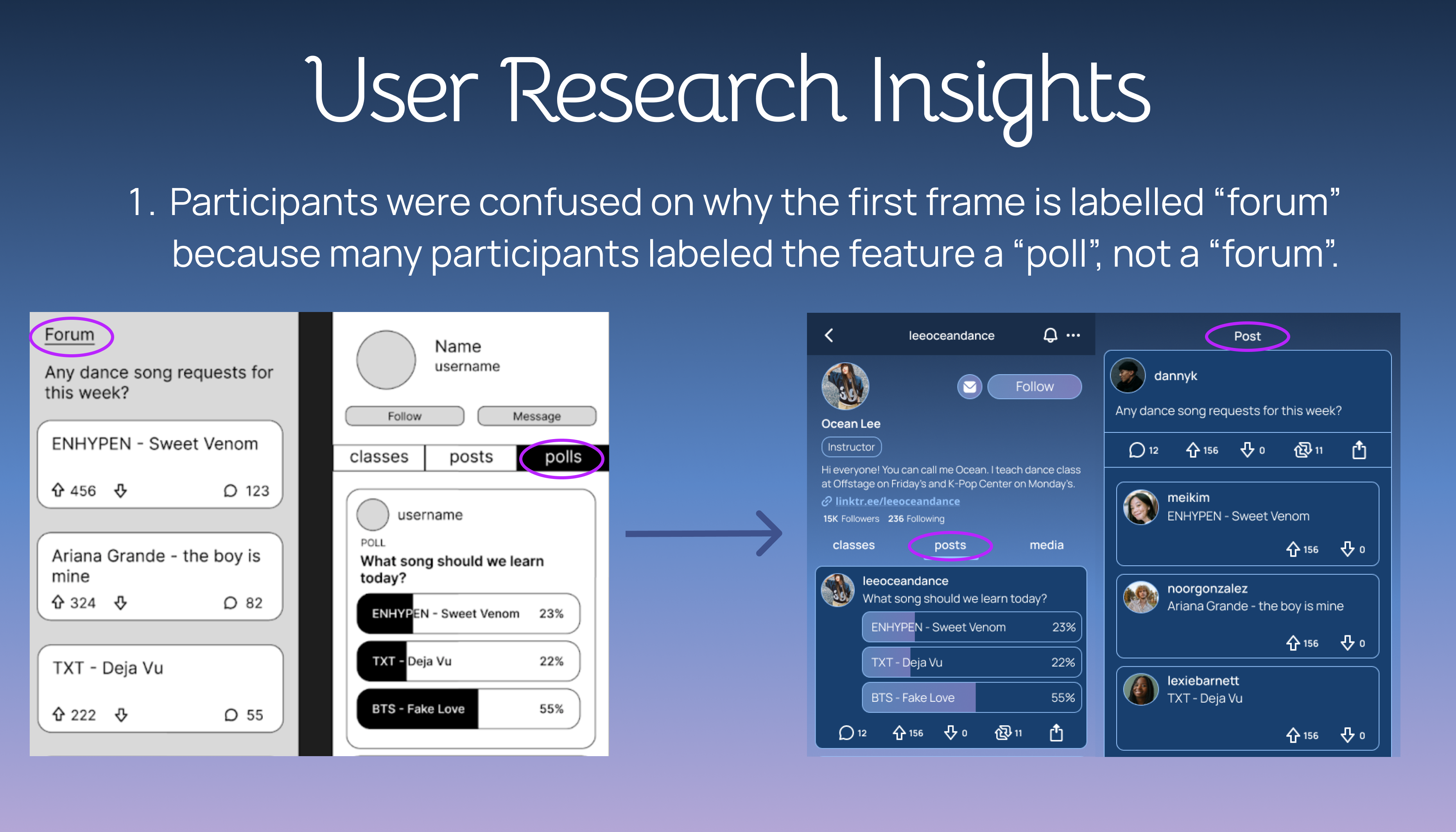
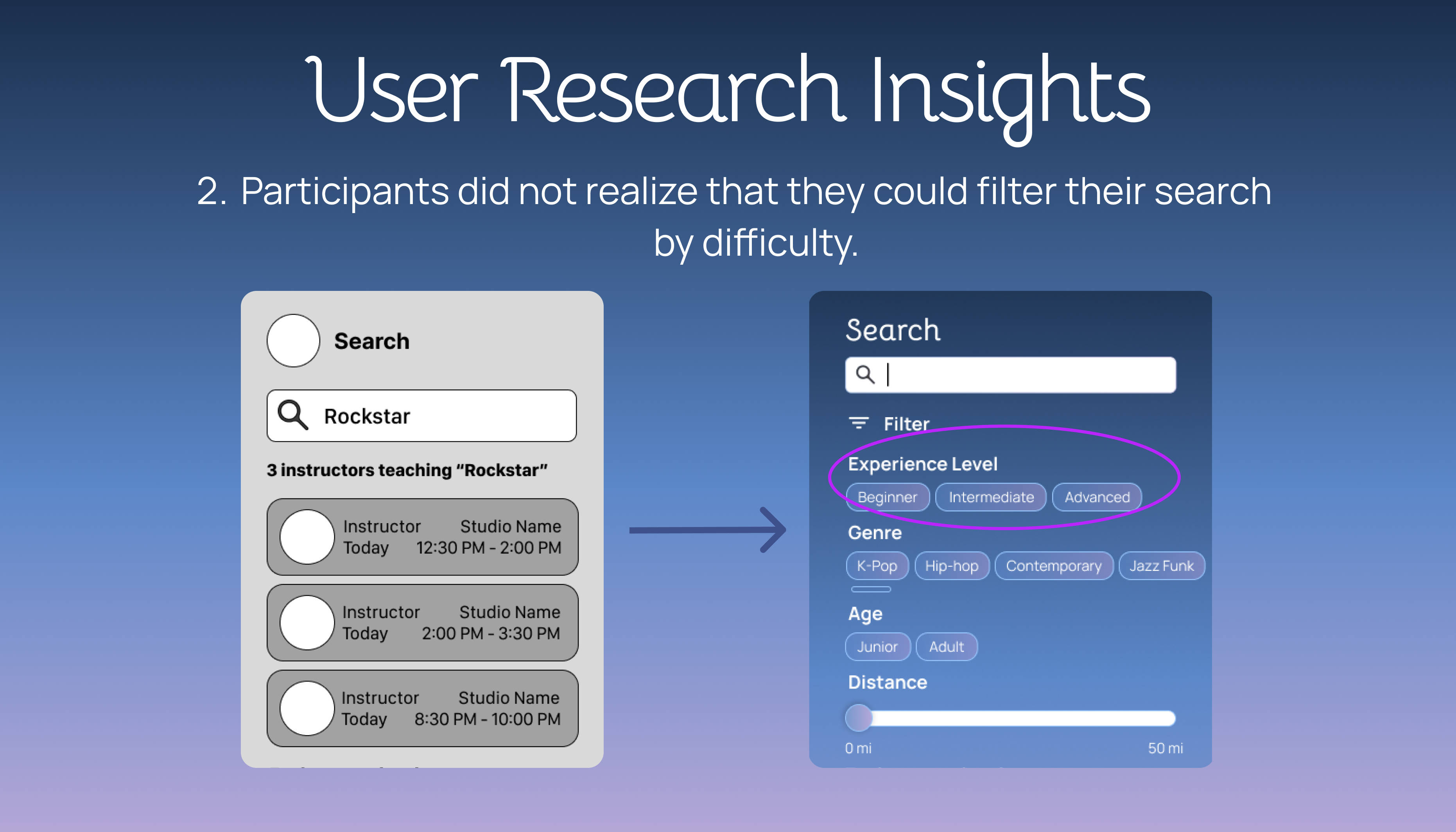
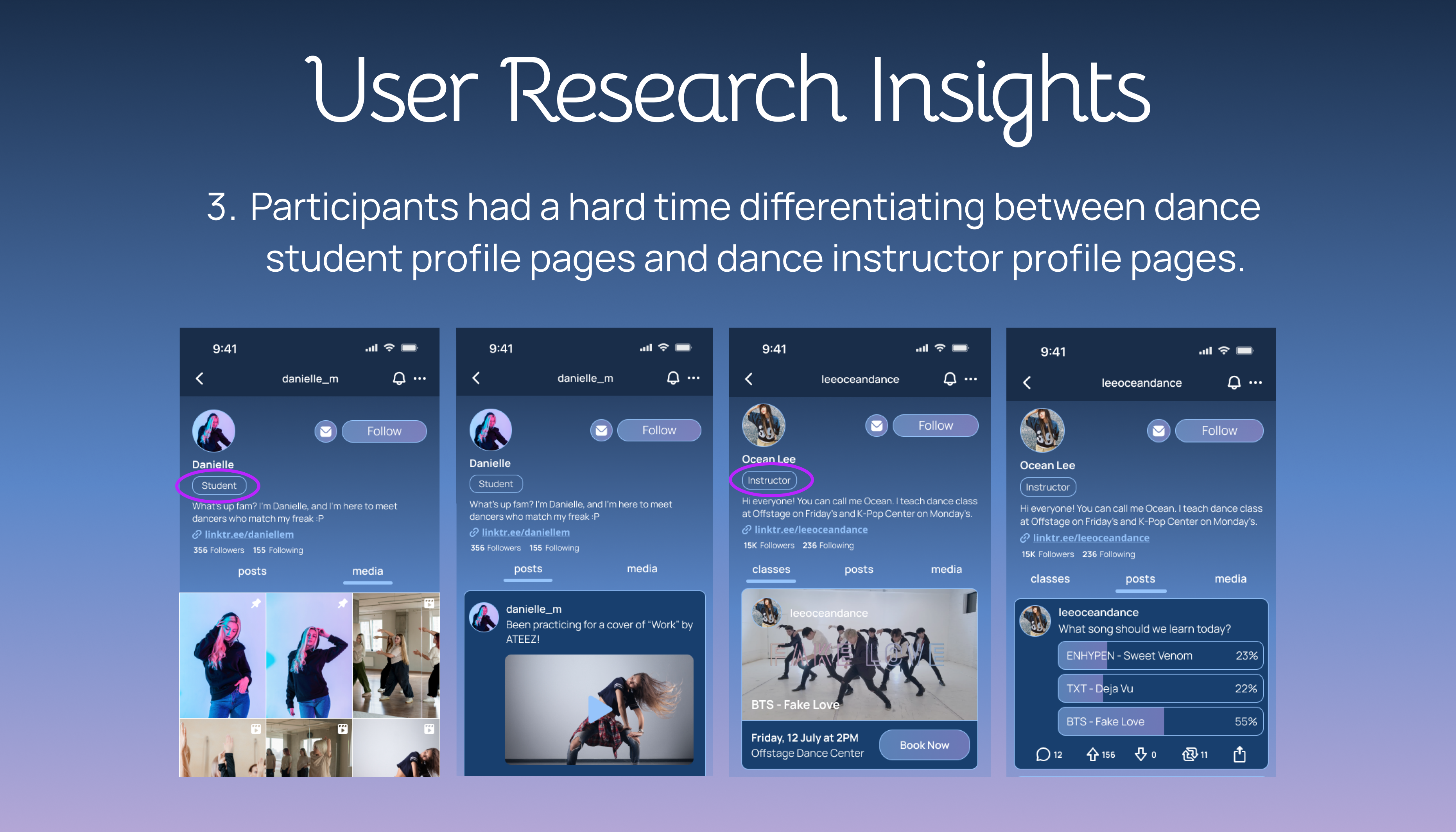
Using our team recommendations, we incorporated knowledge of user pain points in order to improve our final prototype.
Improved Visual Value Propositions
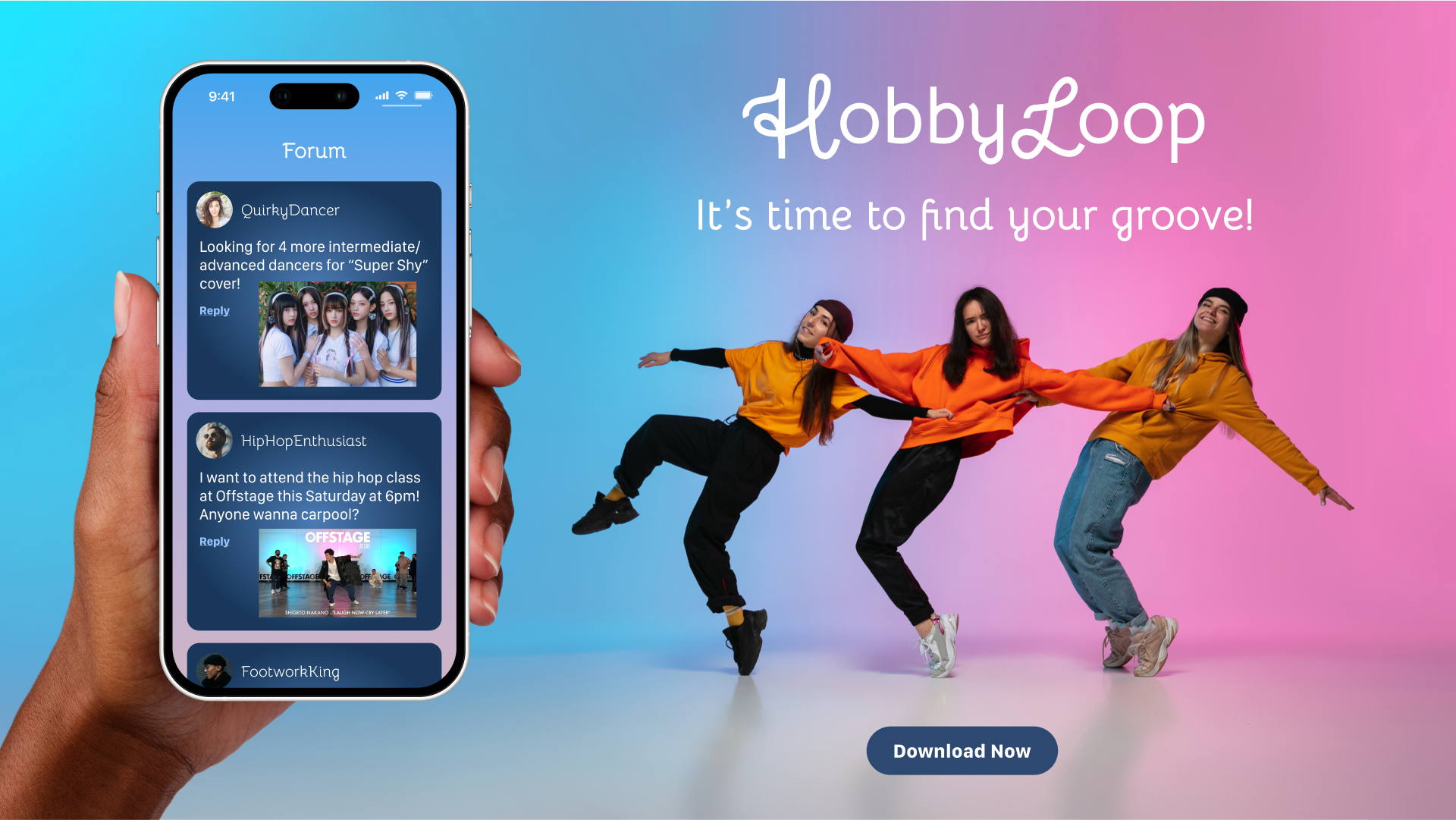
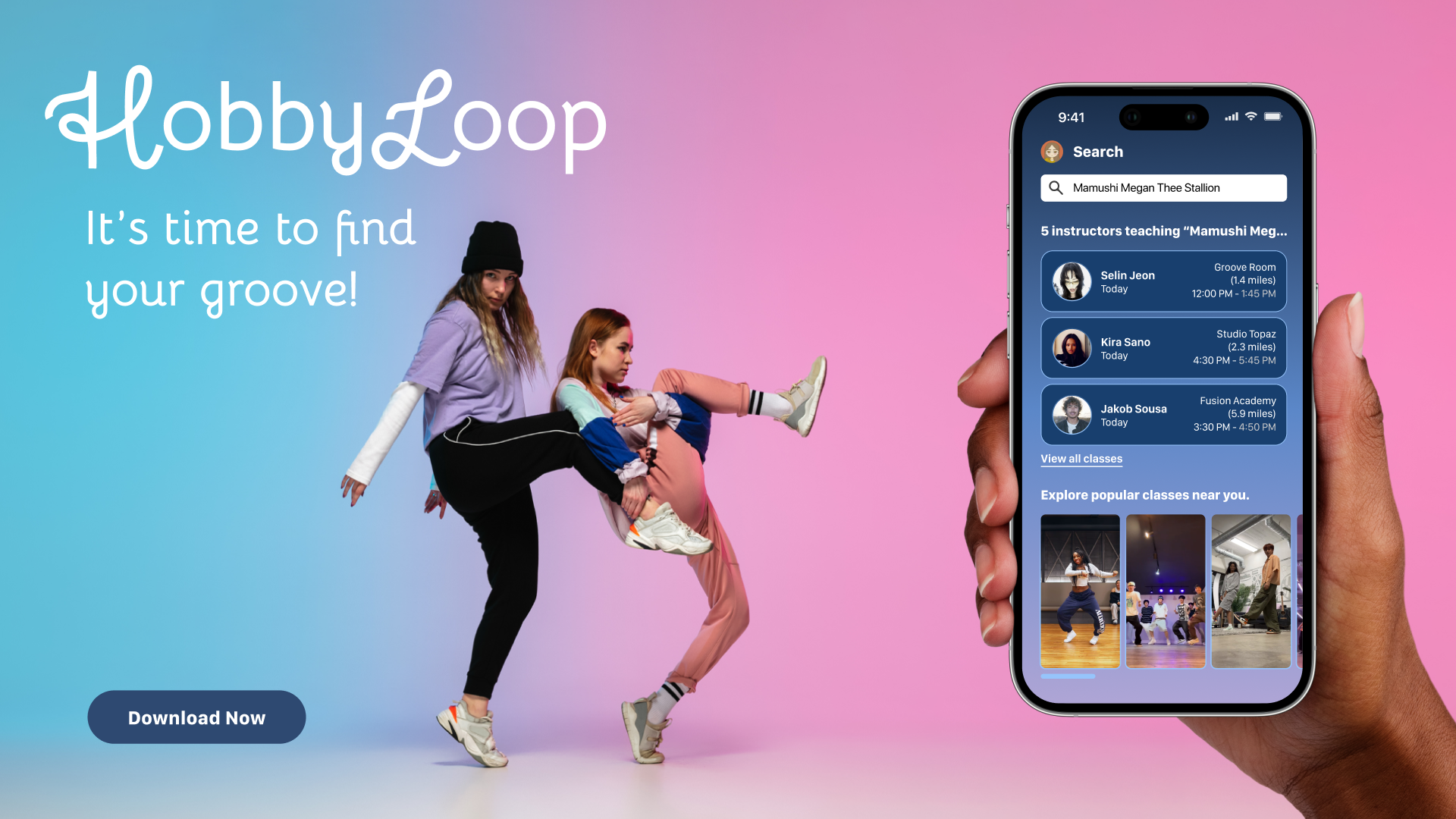
We also revised our original visual value propositions to include people having fun on a bright gradient background to portray a fun and happy mood.
Design System
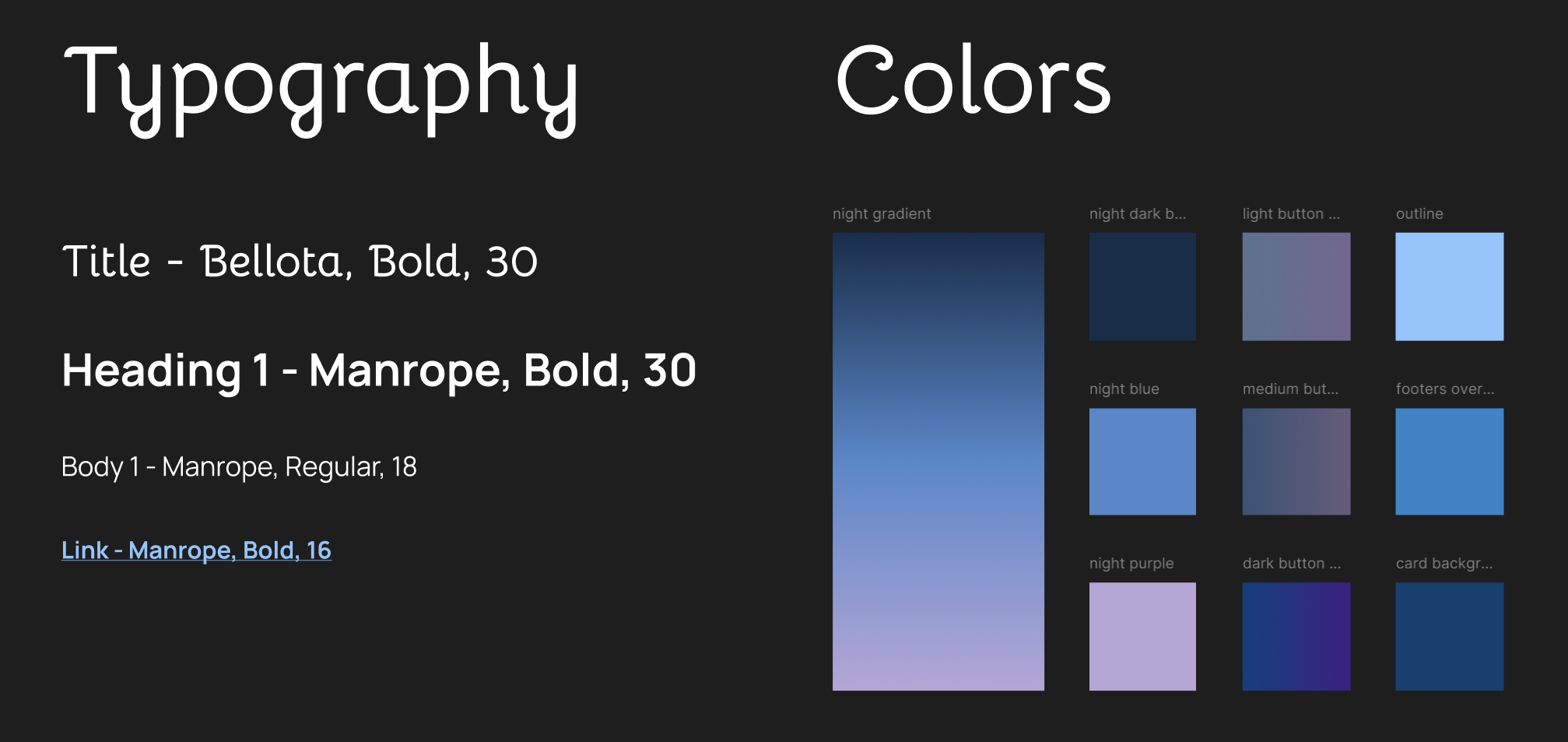
While designing, we created a design system and set up text and color styles in Figma so that it's easier to make everything uniform.
High-Fidelity Wireframes
Here are our final high-fidelity wireframes! Feel free to zoom in and out (ctrl+scroll) and drag the frame around to explore.
Prototype
Here's the final prototype! Feel free to click around and explore our app, HobbyLoop.
Reflection
This project was a great turning point for me since it's the first time my project proposal was selected by class votes. Being the leader of this project meant taking a lot more responsibility when it came to organizing meetings and making sure everyone knew what to do. Given the time constraints we had for this project, we were not able to incorporate all of the features we originally listed, but a good majority of them made it into the prototype. Even though there is always room for improvement, I am very proud of how this project turned out and grateful for the learning experience and skills I was able to gain from it.